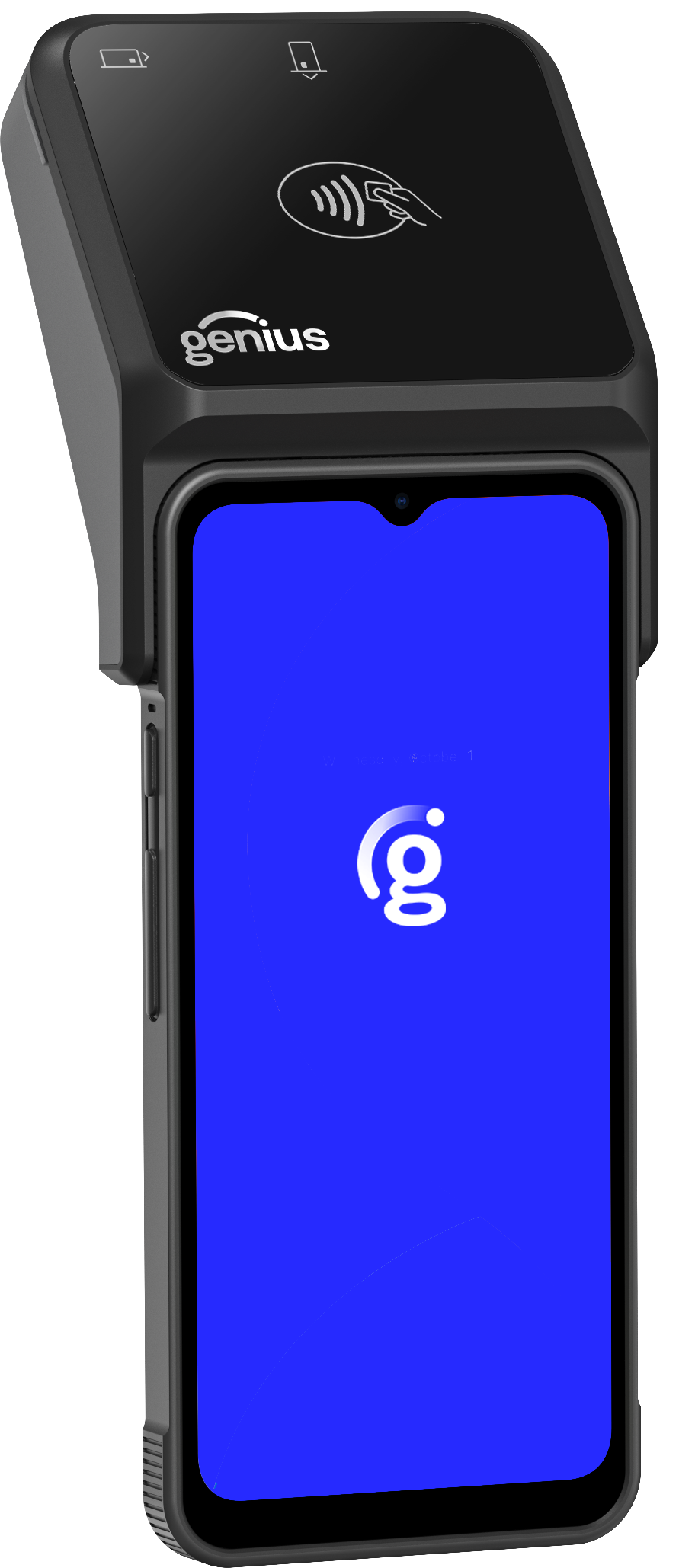
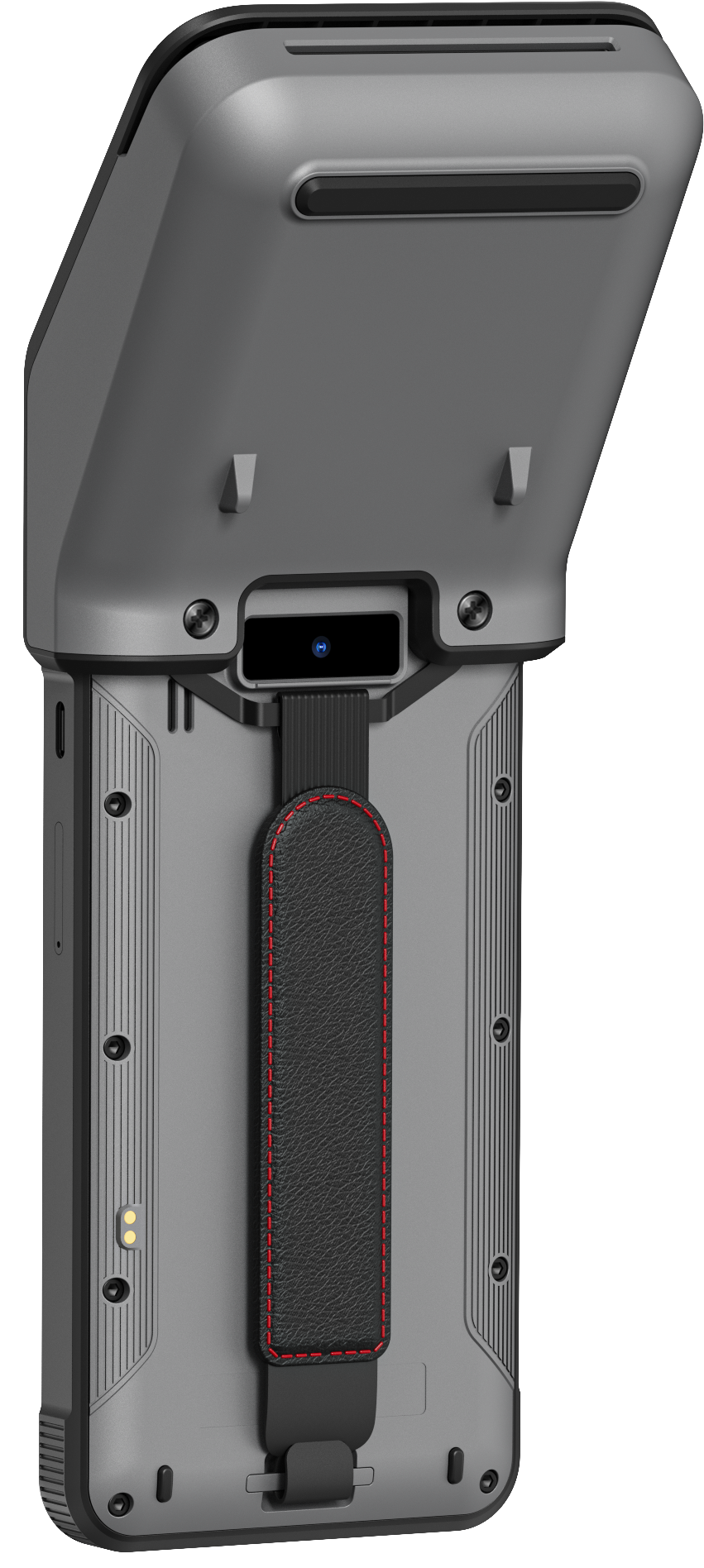
All In One Handheld with Moby5500
Hardware Specifications
 |
 |
|
|
Genius All In One Handheld with Moby5500 | |
|---|---|
SF Model | 2600-AIOHand-M5500 |
Processor | Octa-Core (Quad-Cor Arm Cortex-A73, 2.0GHz; -A53 2.0GHz |
Operating System | Android 13, 64-bit |
Memory | 4GB RAM and. 32 GB ROM or 4GB RAM and 32 GB ROM (NFC) |
Connectivity | WiFi 5 (2.4GHz/5GHz); Bluetooth 5.0 |
Display | 6.5-in, 165.1-mm; 720 x 1600; Multi-point capacitive touch panel; brightness 400 nits |
Peripheral ports | 1x USB C; 1x Nano SIM; 1x 2-pin charging; 1x TransFlash Card |
Battery capacity | 7.6V / 2500mAh / 19Wh |
Power adapter | Charging 10W adapter—input 100-240V; output 5V / 2A |
Dimensions | 3-in x 6.4-in x 0.4-in; 77-mm x 162-mm x 11-mm |
Weight | 0.6lbs; 245g |
Environmental |
|
Protection level |
|
Accessories |
|
Certifications | Google GMS; FCC; CE; IMDA; WEEE |
 |
 |
 |
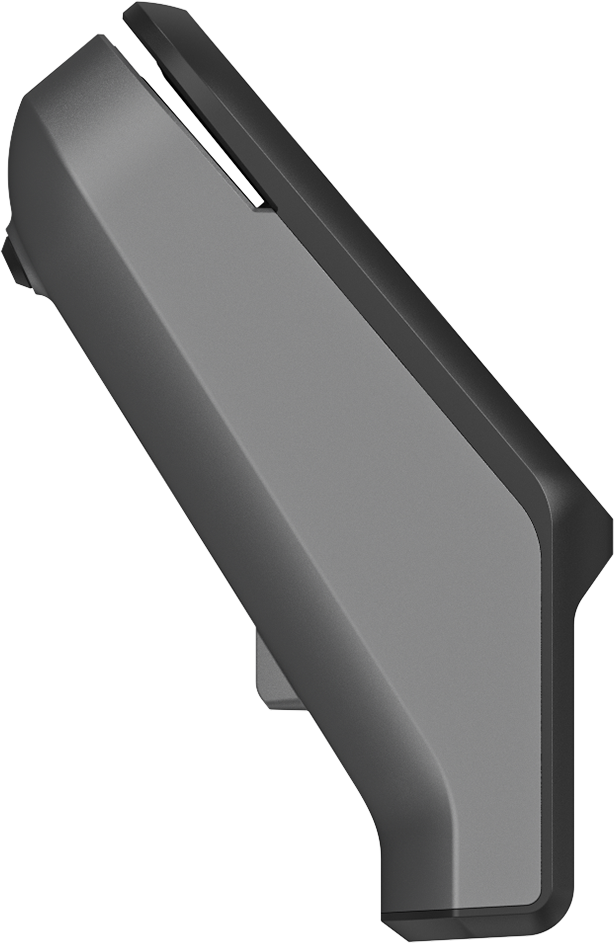 |
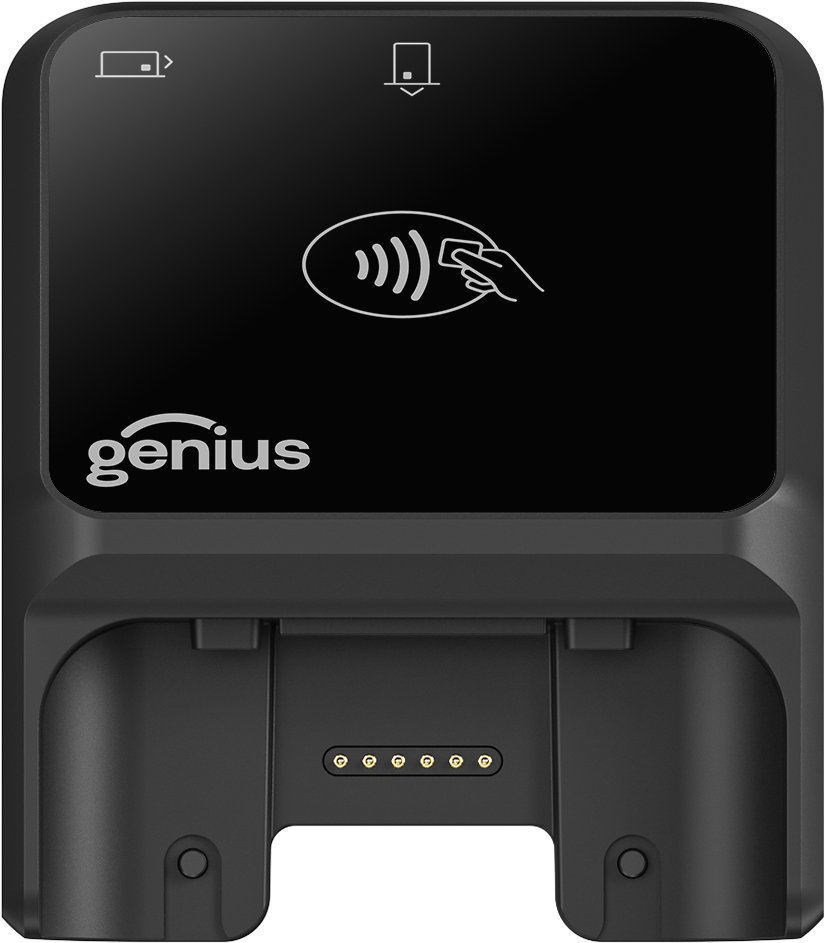
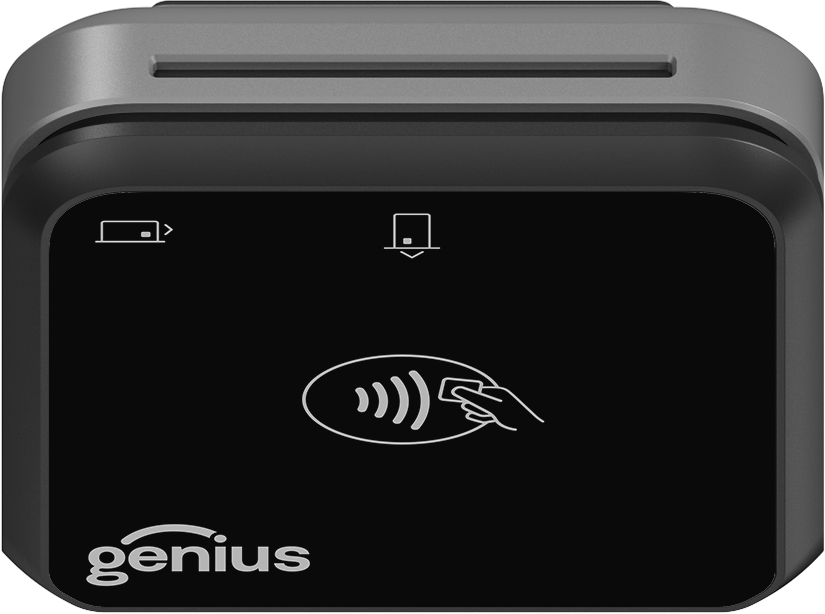
Genius All In One Handheld with Moby5500 | |
|---|---|
SF Model(s) | 2600-MP-P; 2600-MP-T |
Processor | Cortex-M4 150MHz |
Supported OS | Android, iOS, and Windows |
Card readers |
|
Display | LED lights for contactless, device, battery status and Bluetooth readiness |
Encryption |
|
Terminal connections | USB-C connector for charging and data connection |
Power Supply | Via USB-C AB cable—PSU not provided |
Dimensions | 3 x 2.1 x .47-in; 77 x 54 x 12-mm |
Weight | < 2.47 oz; < 70 g |
Lifetime | 100k transactions on magstripe reader and smart card reader |
Certifications and security | FCC, CE, WEEE, EMV L1 and L2 Contact, EMV L1 Contactless, MasterCard Contactless 4.1.4, Visa payWave 2.2, Amex Express Pay 3.1, JCB J/Speedy 1.4, Discover D-PAS 1.0, CUP qUICS; SCR Class; PCI PTS 6.x |
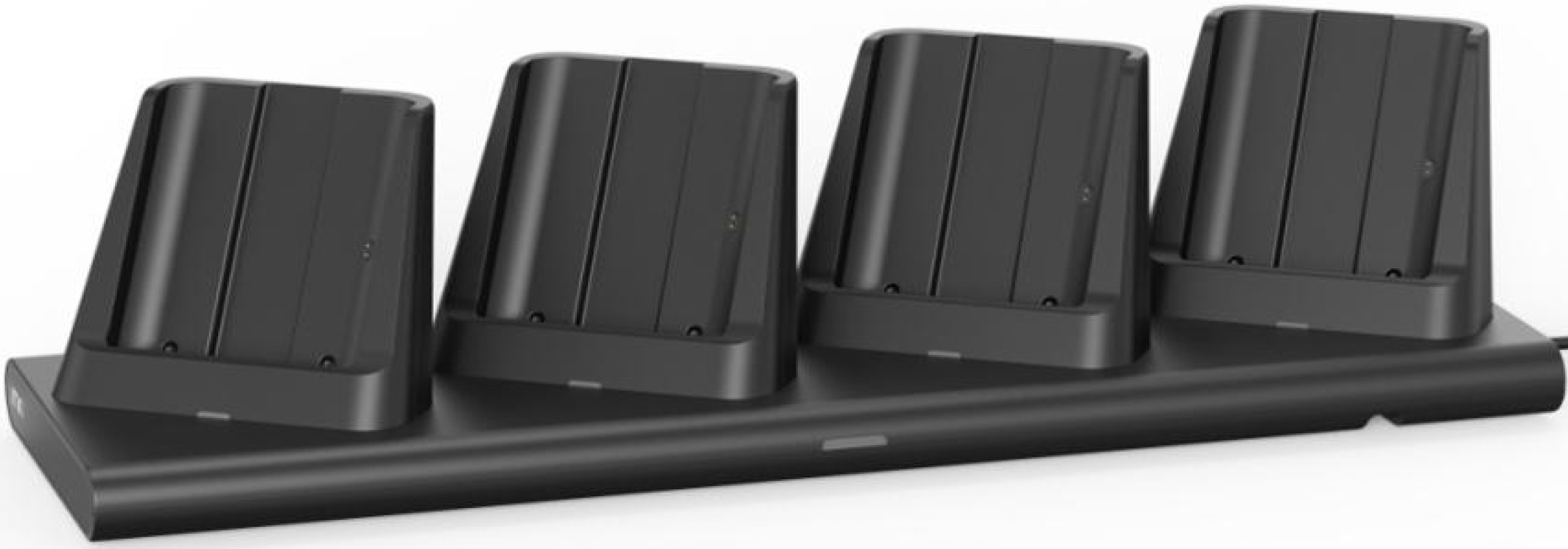 |
Handheld 2.5 Multi-Bay Charger | |
|---|---|
SF Model | 2600-MBC-iMin |
Charging ports | 4 bays |
Indicator | LED |
Charging performance | Full-charging period of 4.5 hours |
Peripheral ports | 2 Pogo pins x 4, 5V 2A output; DC 24V 2.5A input |
Adapter |
|
Dimensions | 5.5-in x 18-in x 4.4-in; 140-mm x 456-mm x 112-mm |
Weight | 3.7-lbs; 1.7 kg |
Environmental |
|
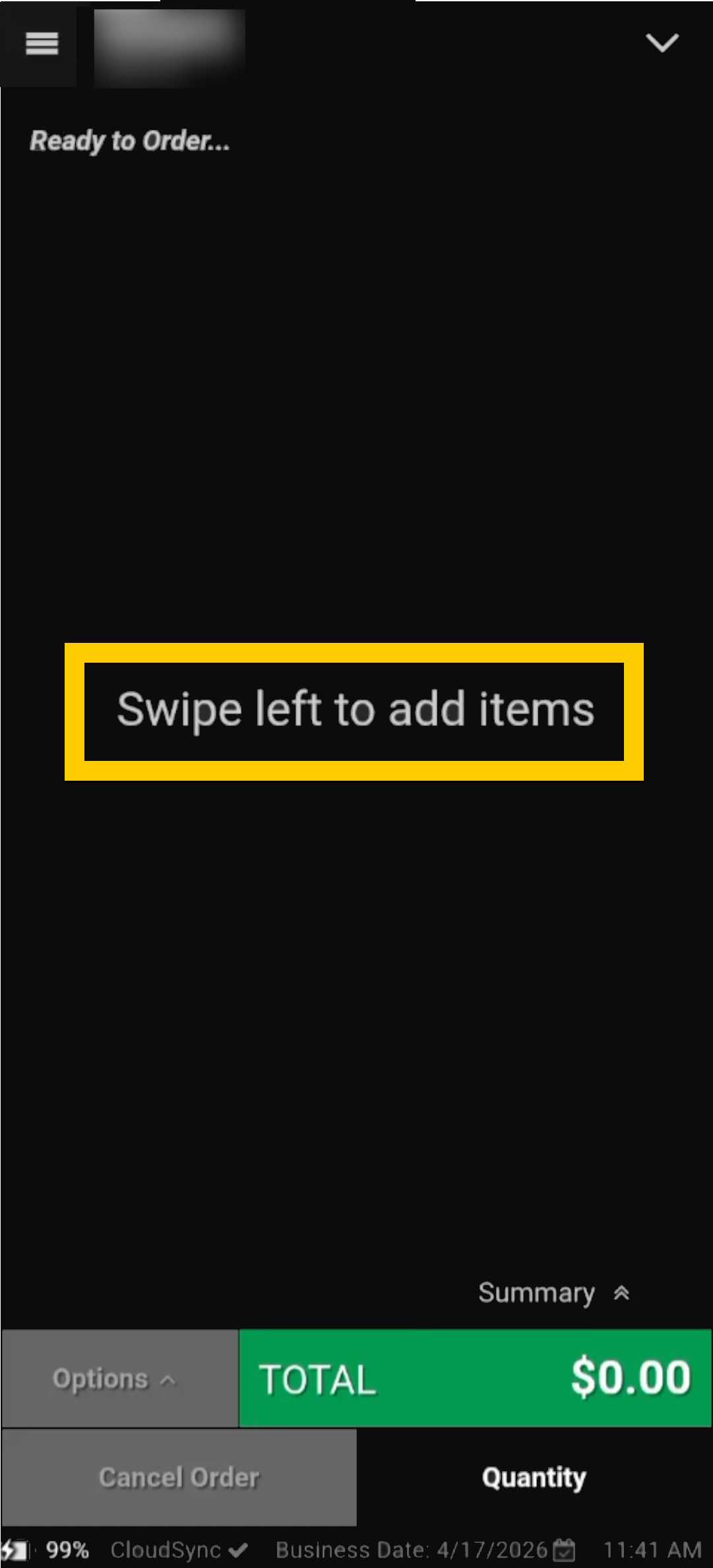
Swipe left or right to Navigate between screens: order review | menu | tender |
| |
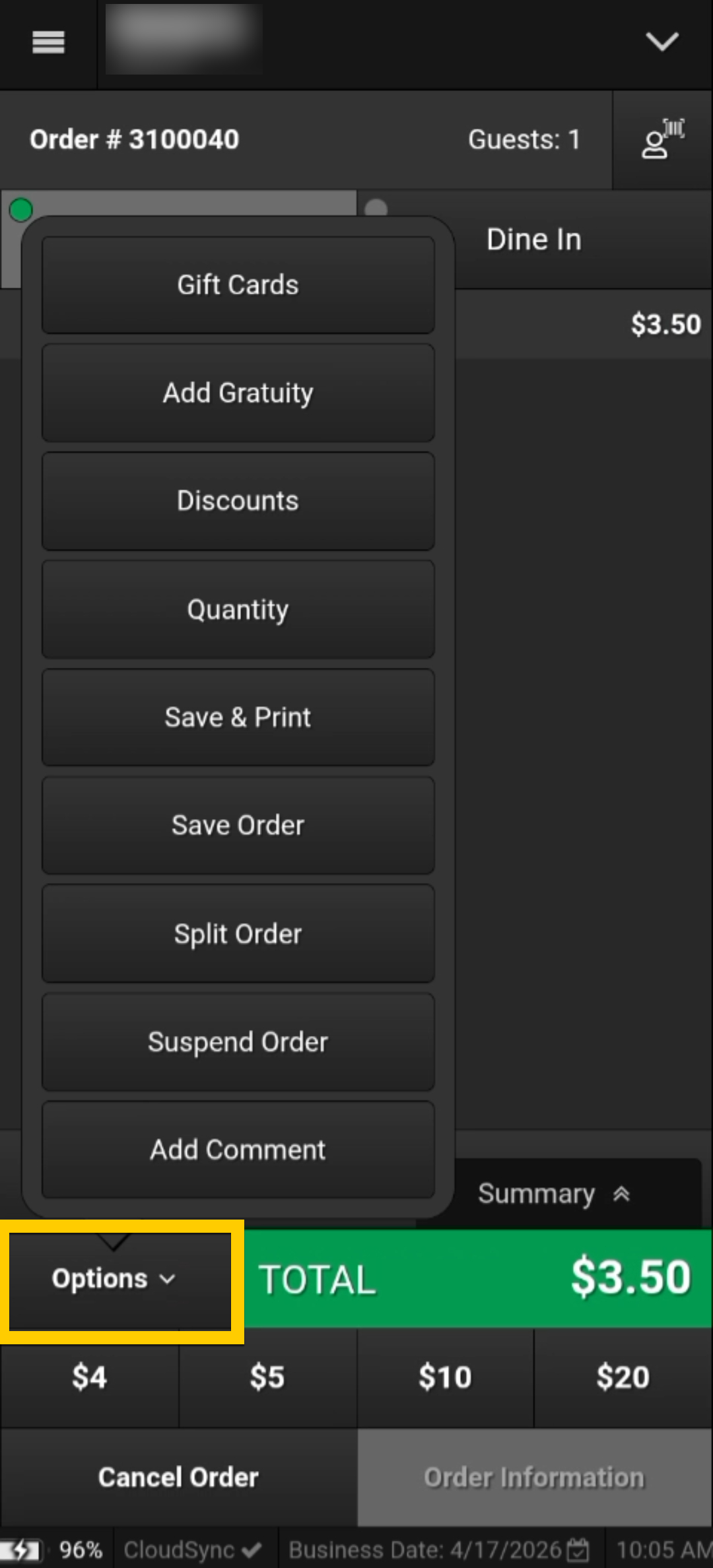
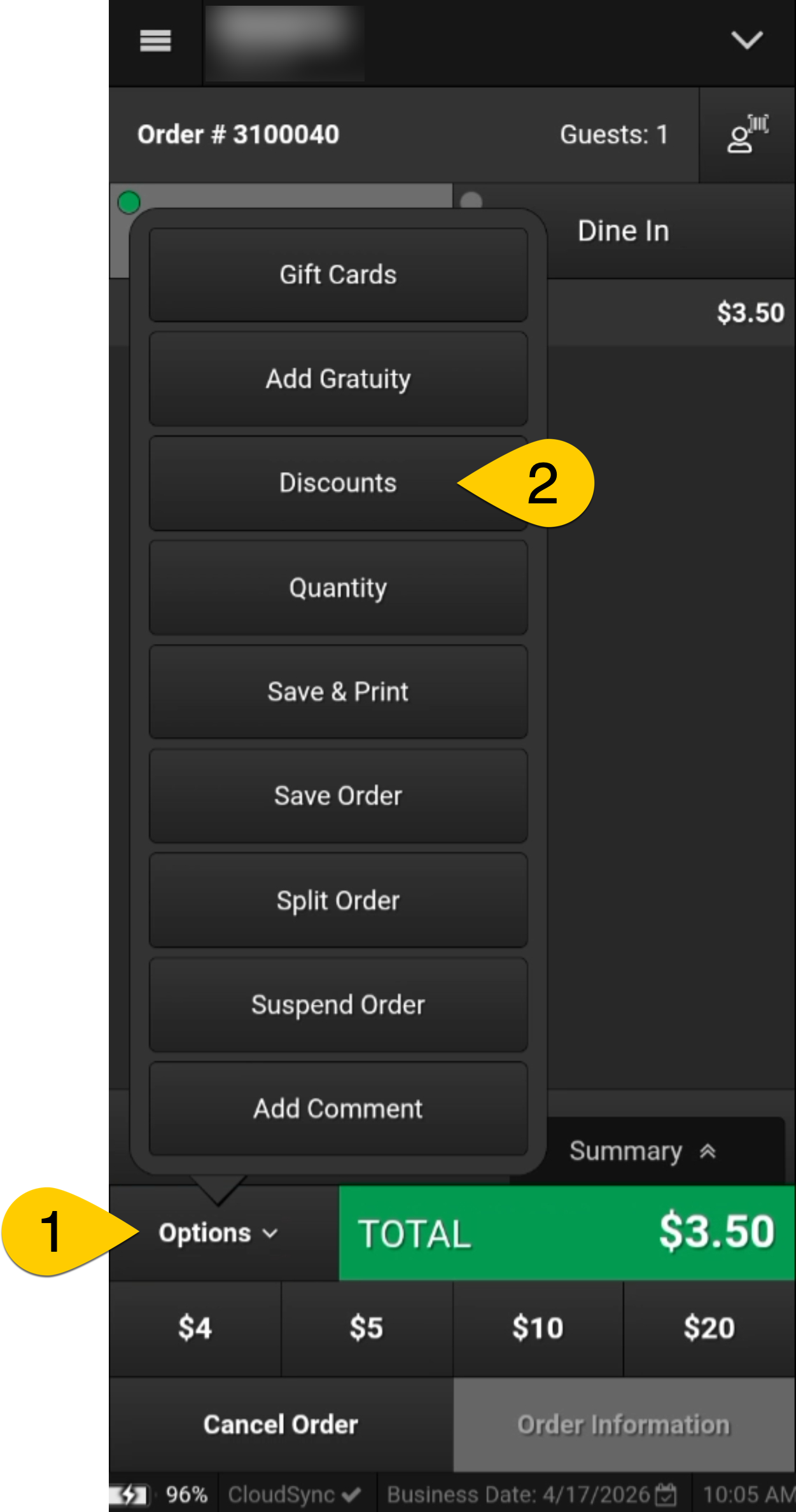
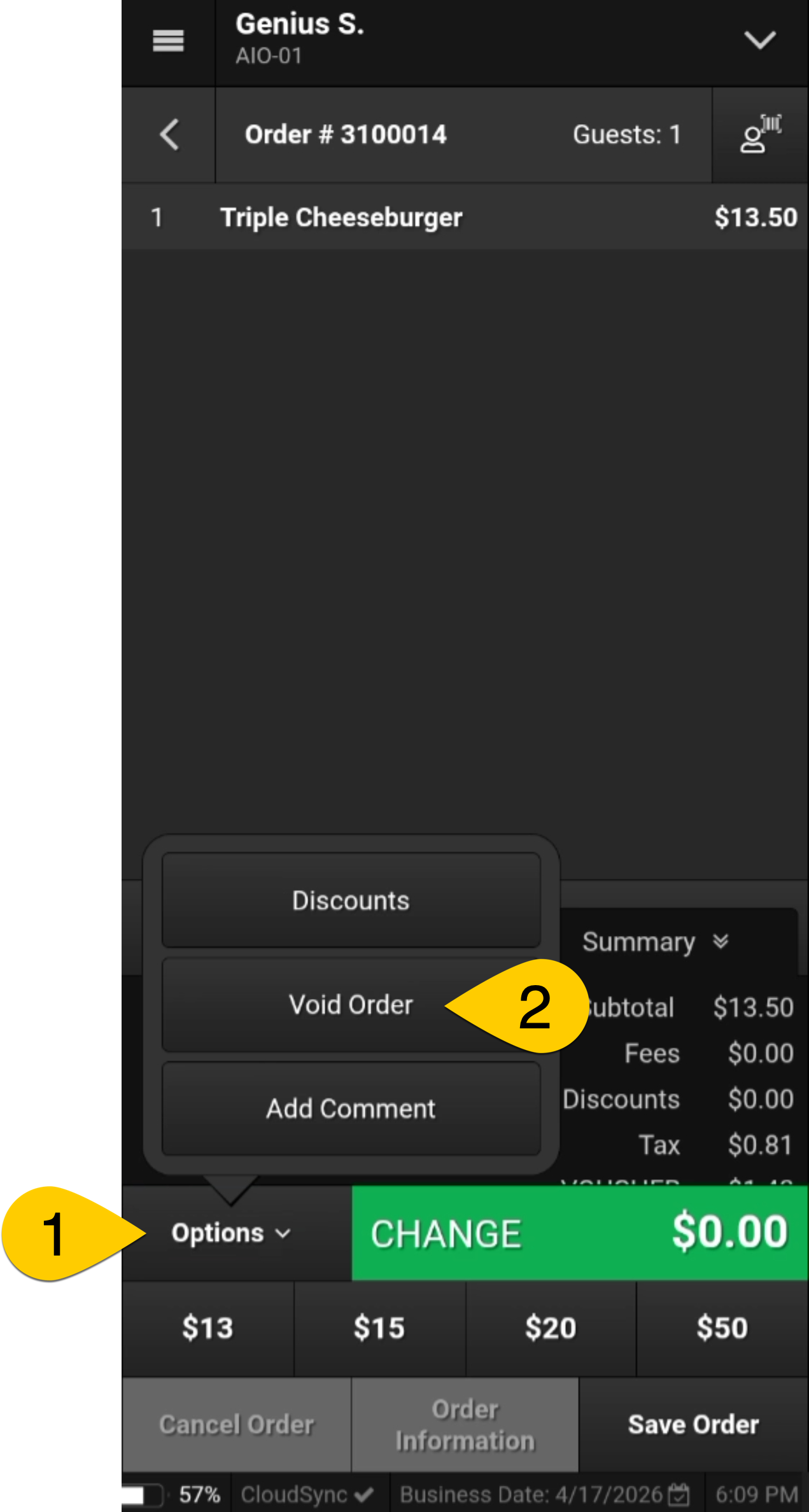
Select Options to access:
|
| |
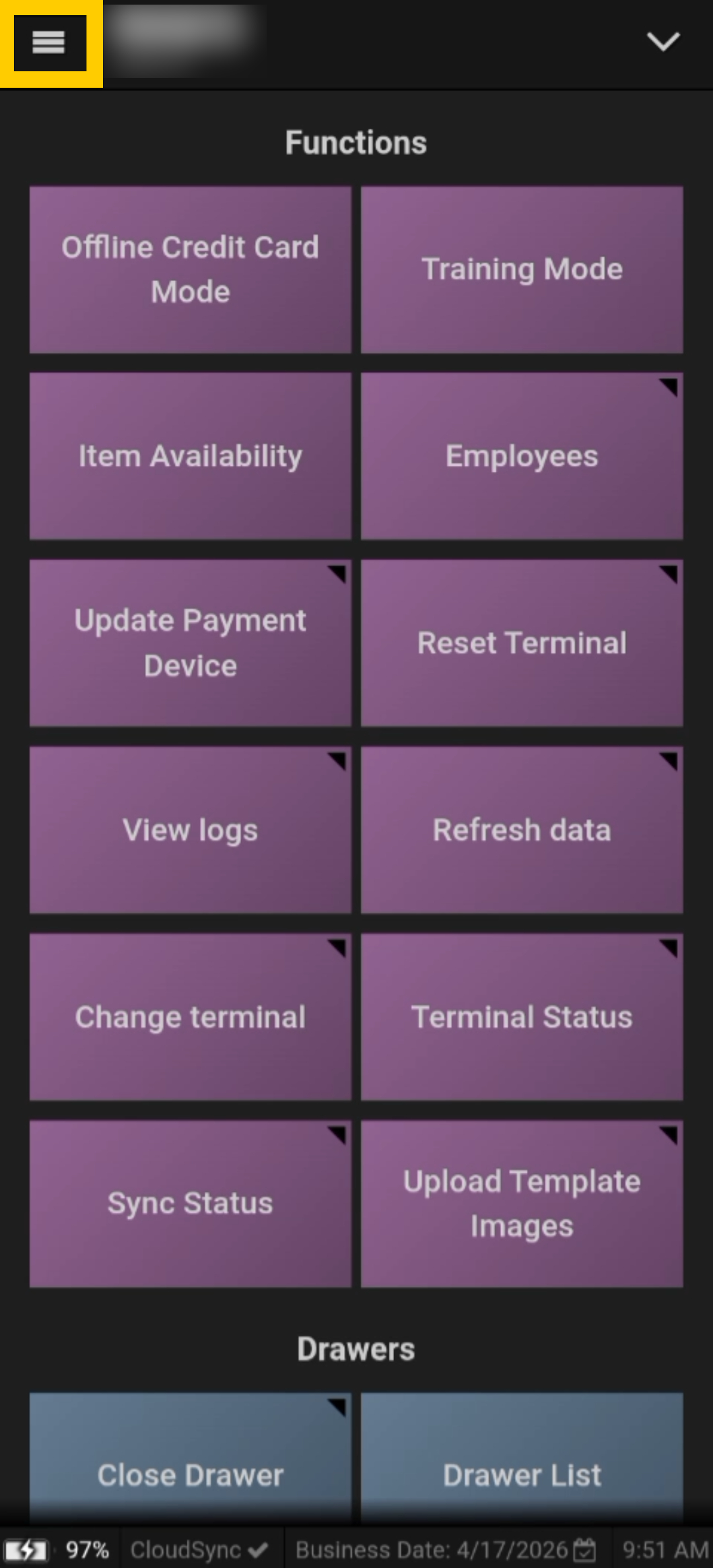
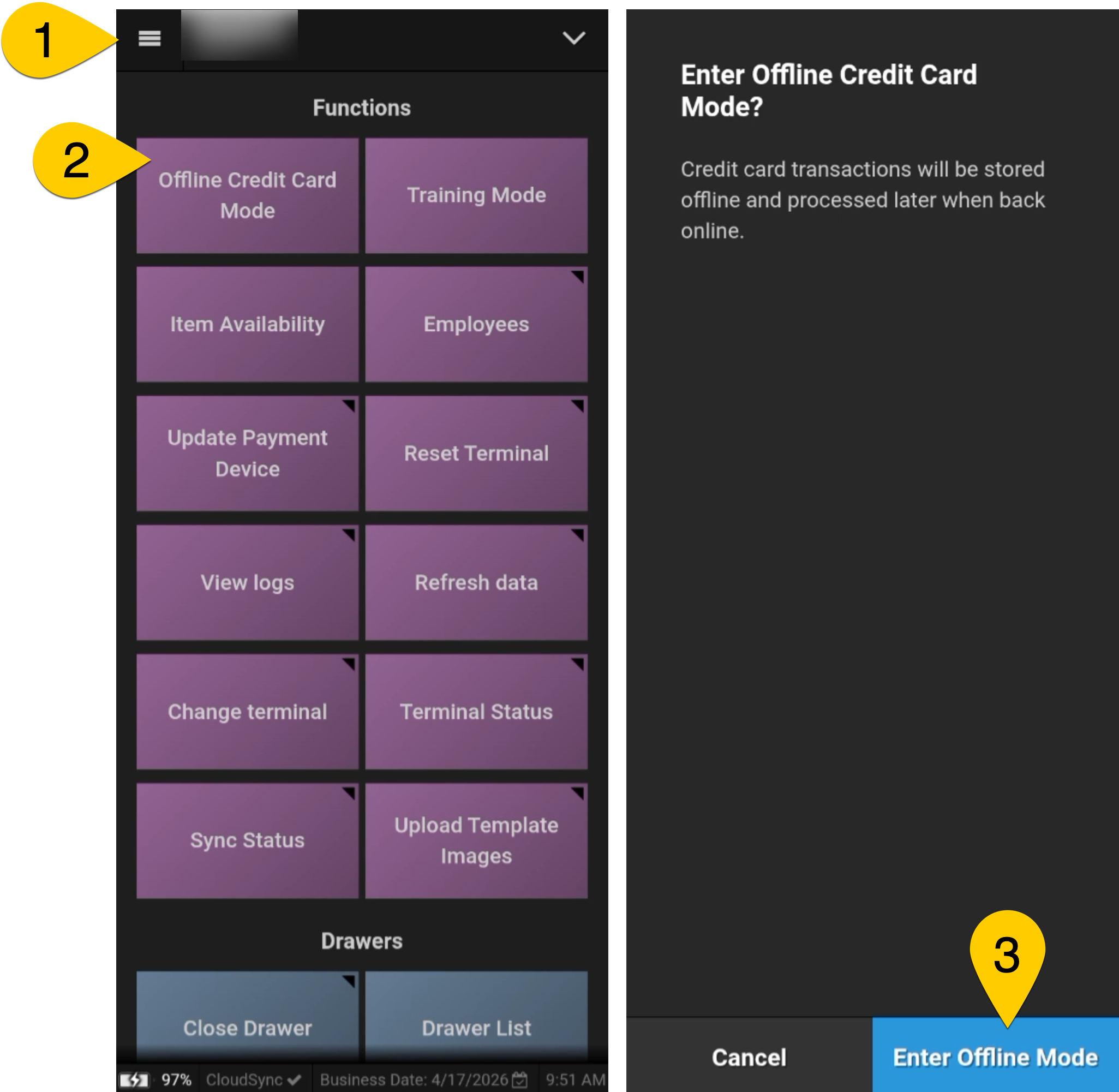
Select the Hamburger menu to access Functions. Scroll up or down to view configured options as they may vary by venue.
|
| |
Discounts
|
| |
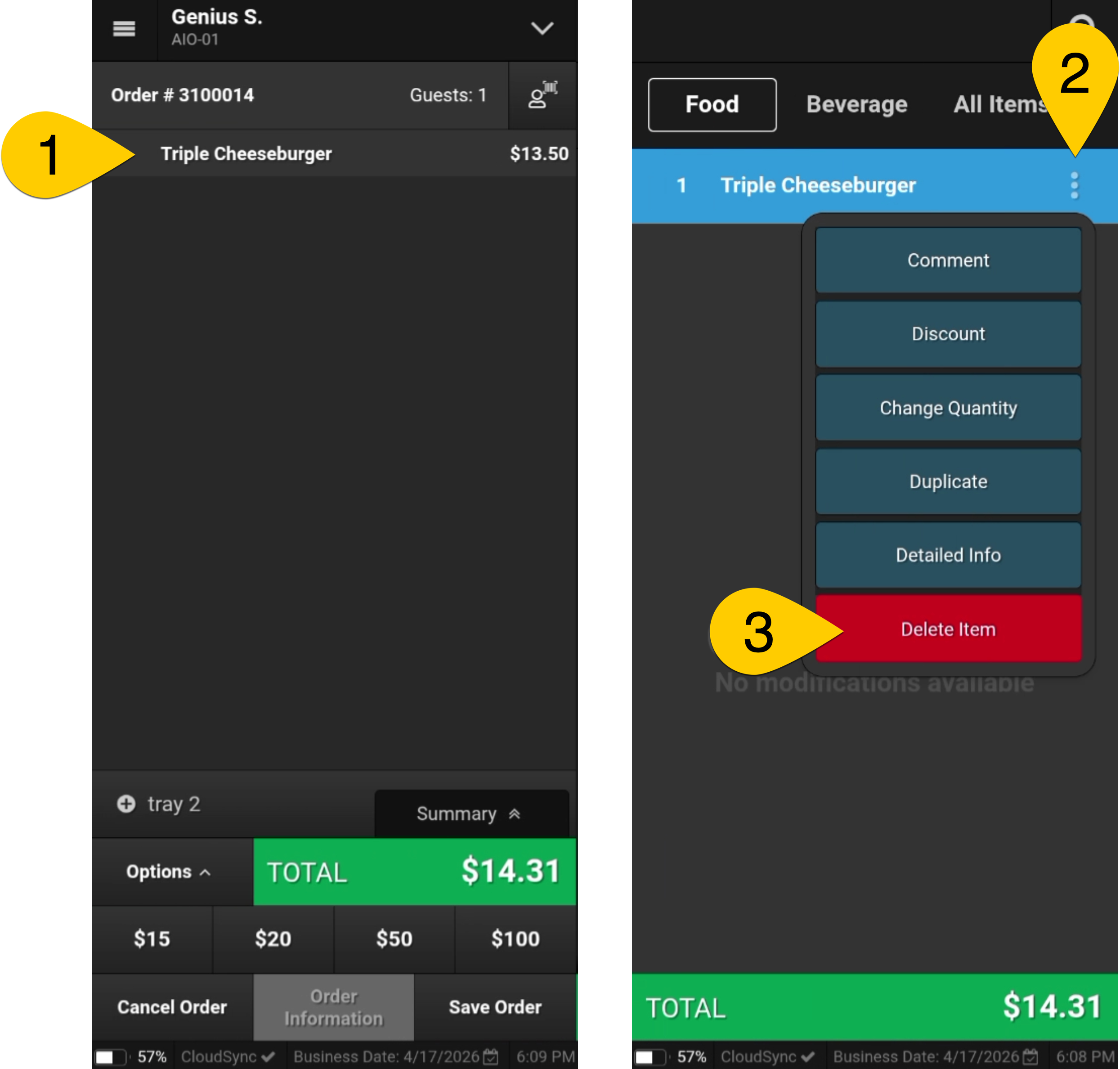
Delete Item If this option is not visible, Swipe Right to view the Order Review Screen and to access Delete Item.
|
| |
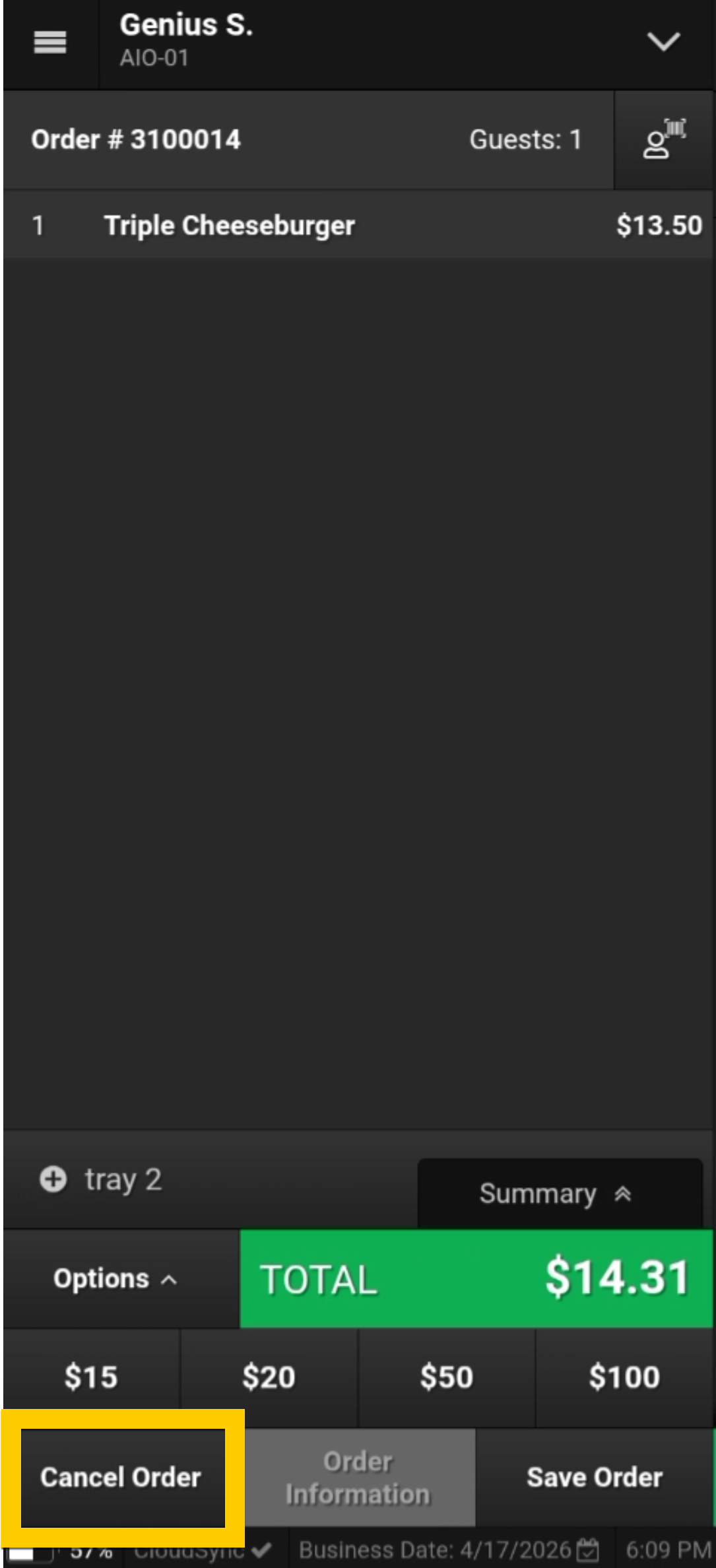
Cancel Order Select Cancel Order when you need to change an entire order. If this option is not visible, Swipe Right to view the Order Review Screen and to access Cancel Order. |
| |
Void Order Use Void Order when an order has a partial payment or has entered a void trigger state. If this option is not visible, Swipe Right to view the Order Review screen and to access Options.
|
| |
Enter Offline Mode
|
| |
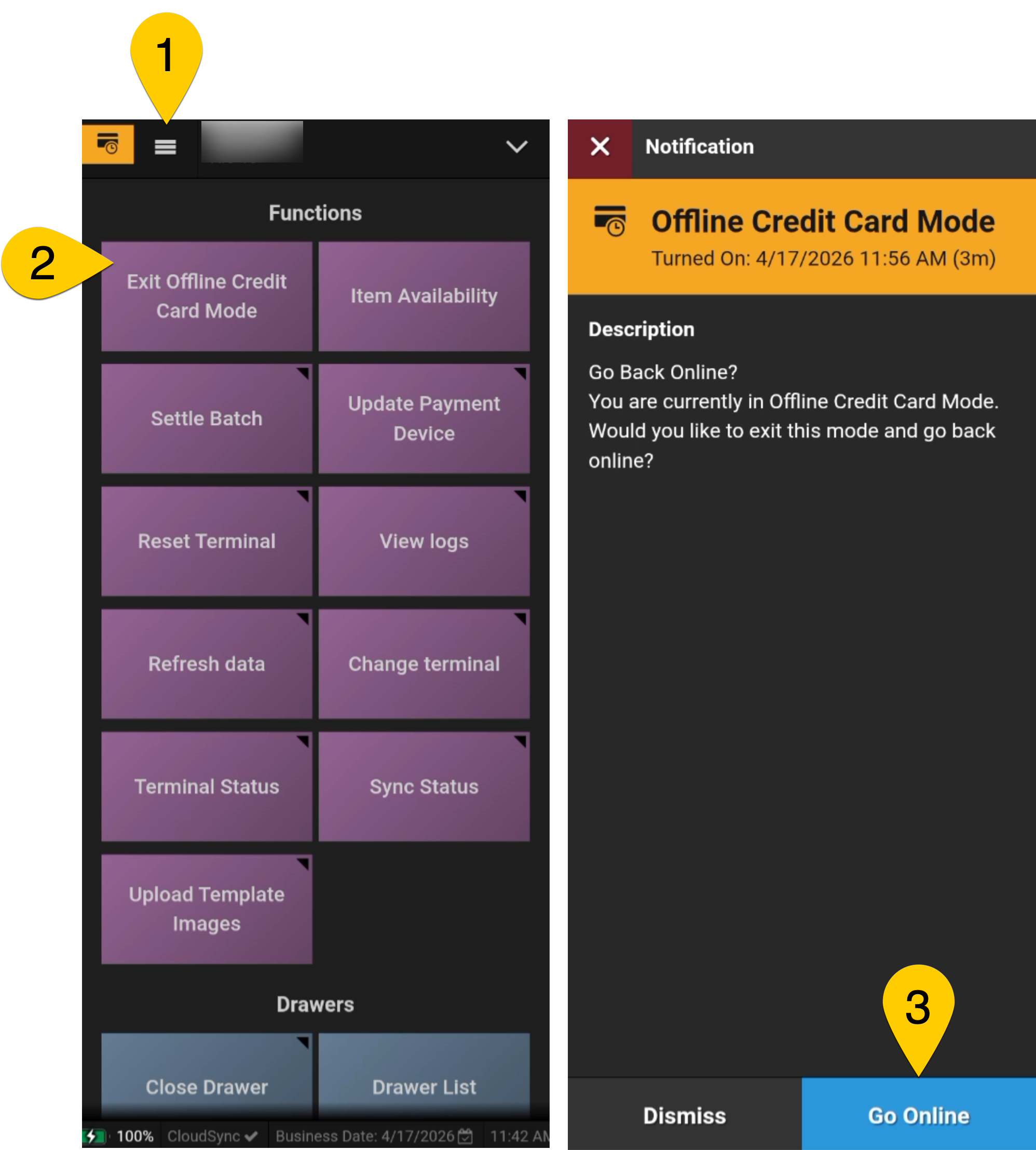
Exit Offline Mode
|
|
For additional information, review the Operations Guide.